
Local-first · Your model · Your files
Write it down.
Fundus files it.
You capture a thought in whatever words come to mind. A language model of your choice sorts it into a note, idea or task, remembers where it came from, and answers your questions about it later. Every change comes with a receipt you can undo.
How it works
Capture. Filed. Receipt.
No folders to choose, no tags to maintain, no forms to fill in. You capture; the model does the filing; Fundus keeps the books.
- 1
You write a thought
From a text box, a global shortcut, the command line, or mid-conversation. What you write stays exactly as you wrote it, forever.
- 2
The model files it
It becomes a note, an idea or a task, with a title and a topic. Repeated mentions raise a task's attention. Questions get answered from your own notes.
- 3
A receipt appears
Every automatic change shows what actually happened, with an Undo button. The model may only add, never overwrite or remove.
Find it again
Ask in plain language. It answers from your own notes.
What were my thoughts on a Grafana dashboard for the heating data? Which open tasks belong to the solar system? What could I finish in an hour? Fundus answers, and cites the notes it drew from, so you can check.
- Recall by meaning, not by remembering where you filed it.
- Every answer is grounded in your own captures and links back to them.
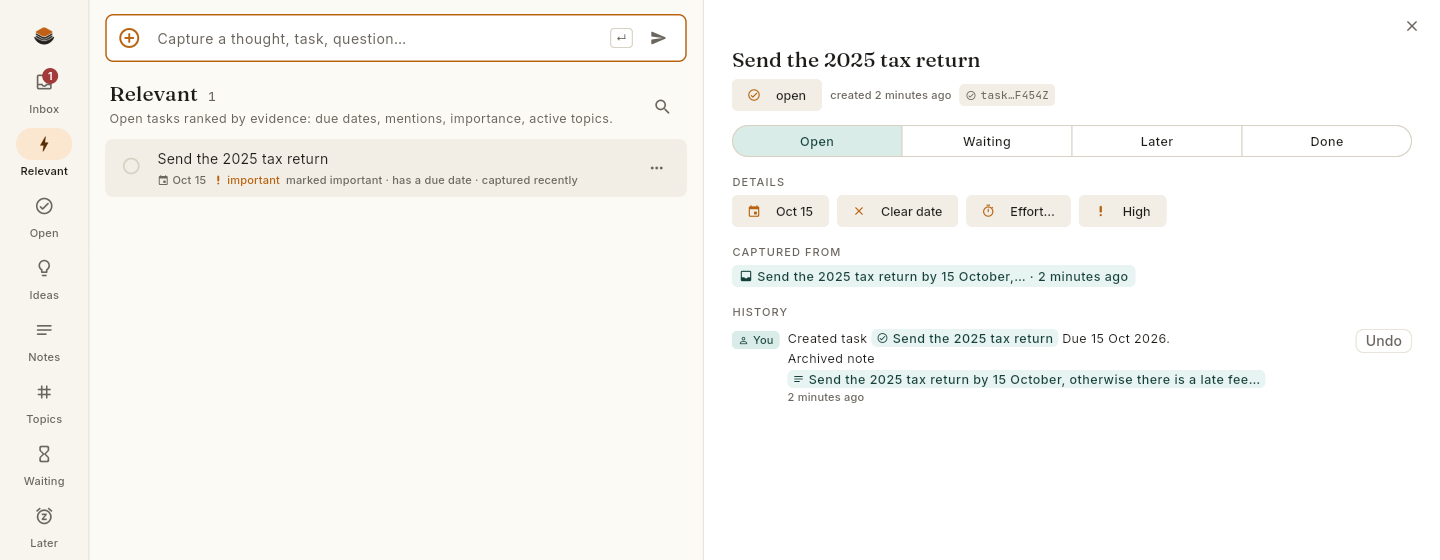
- A Relevant view ranks open tasks by real evidence: due dates, mentions, importance, active topics.
Stay in control
Nothing is rewritten behind your back.
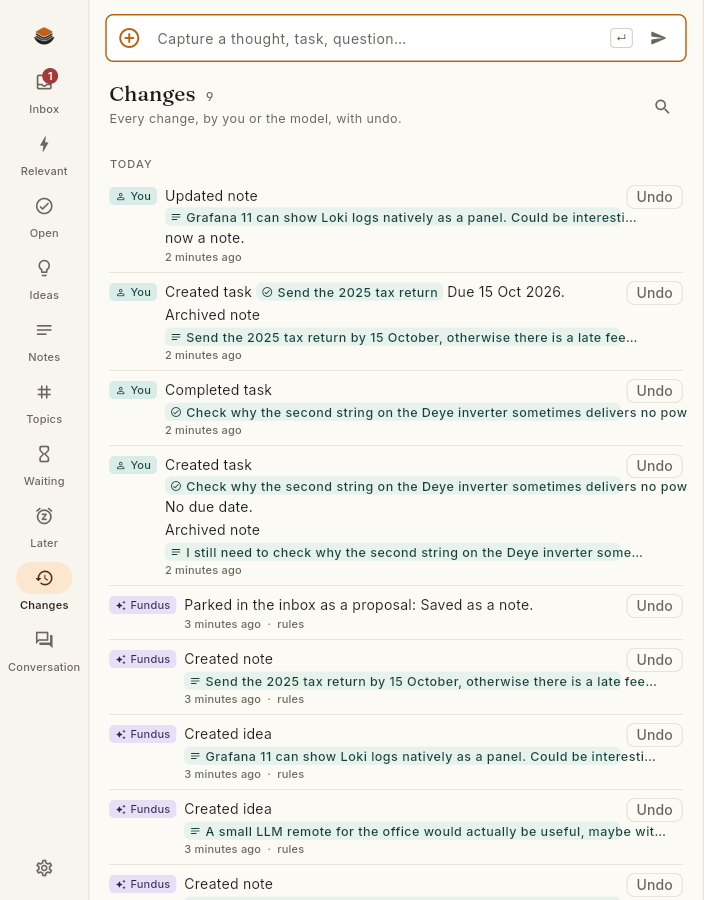
Every change, by you or the model, lands in one timeline with an Undo button. The model is allowed to add and to propose, never to overwrite or delete. If it gets something wrong, one click puts it back.
- A plain, honest log of what happened and who did it.
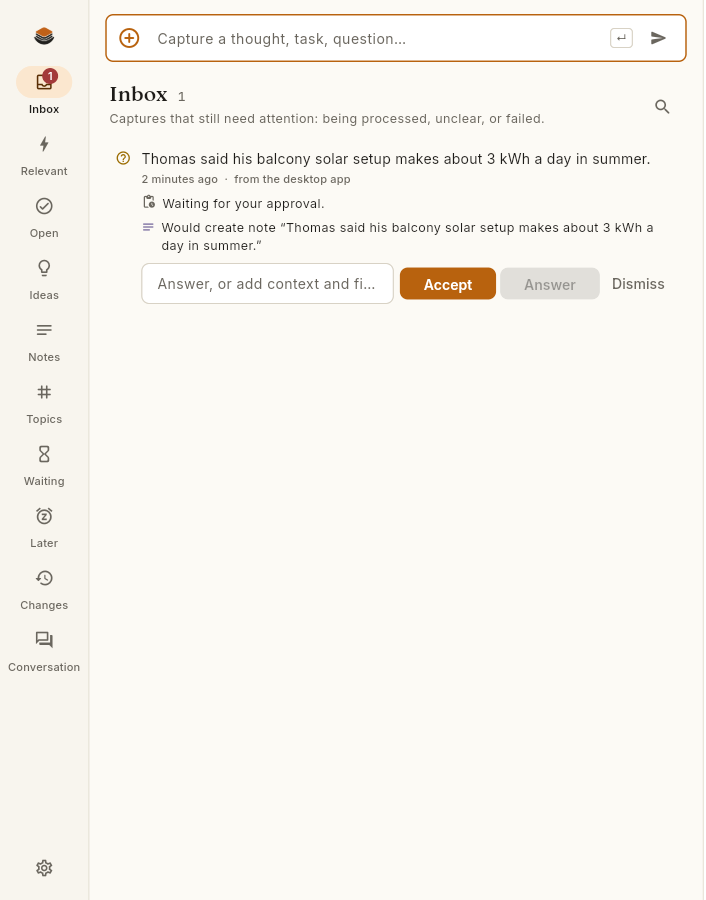
- Proposals wait in the inbox for your Accept or Dismiss.
- Undo reaches all the way back, not just the last step.
Provenance
Every note remembers where it came from.
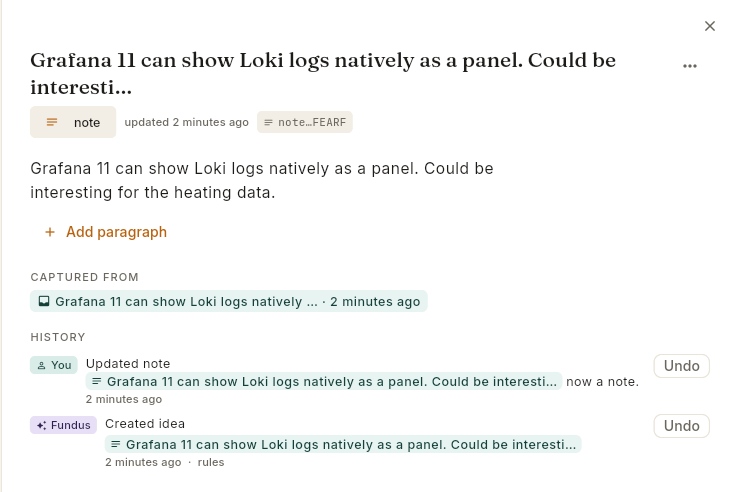
A note is never orphaned. Fundus keeps the original capture it grew from and the full history of what happened to it, so you can always trace a line back to the moment you wrote it down.
- Notes, ideas and tasks all carry a Captured from trail.
- Titles and topics are added by the model, never at the cost of your original words.
- Export everything to Markdown any time and walk away with it intact.
Your data
It stays in files you own.
Fundus runs on your own computer. Your notes live in a plain event log and JSON on your disk, with Markdown export any time. No account. No cloud. The app carries its own background service, so there is nothing else to install.
- Plain files, forever. An append-only log and JSON you can read, back up and export.
- Add-only, never destructive. The model may add and propose, never overwrite or delete, and every step can be undone.
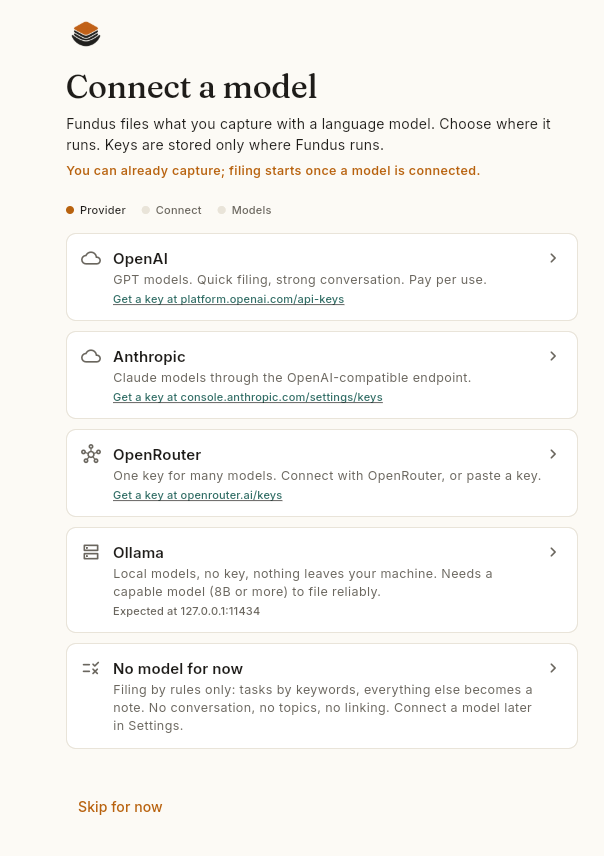
- The model runs where you choose. A hosted model, or a local one on your own machine. Your call, per key.
- OpenAI
- Google Gemini
- Anthropic
- OpenRouter
- Ollama

Start in one minute.
Download, open it, and write something. Connect a model when you are ready — captures made before then wait in the inbox and get filed as soon as one is.
Free and open source on GitHub. The first start may need one confirmation because the builds are not yet code-signed.